How to Check Your NBI Clearance Status Online in 2026
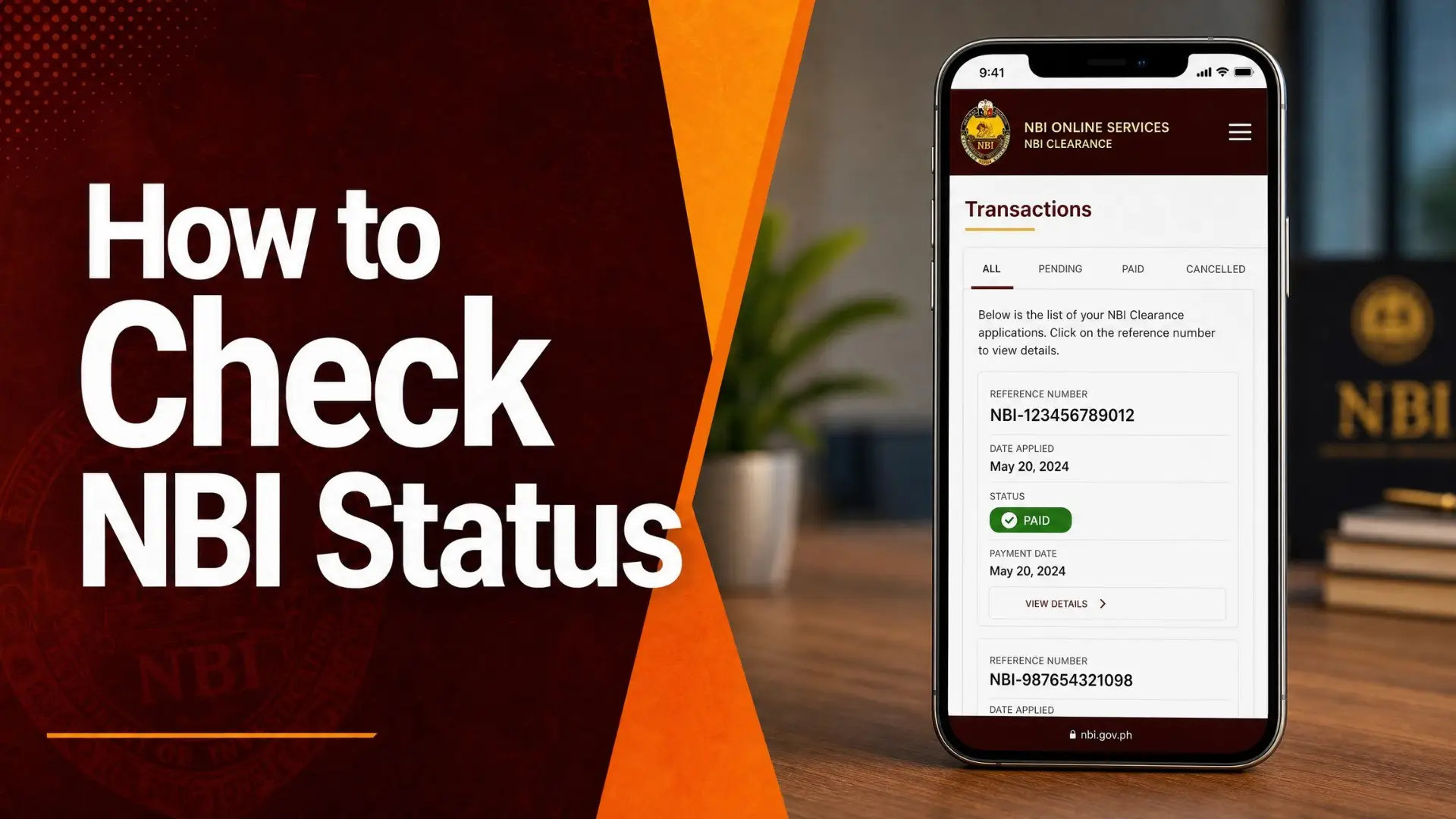
Applied and now waiting? You can track your NBI Clearance from your phone — whether your payment has posted, your appointment is set, your clearance is ready, or it’s out for delivery. Here’s how to check, and what each status actually means.
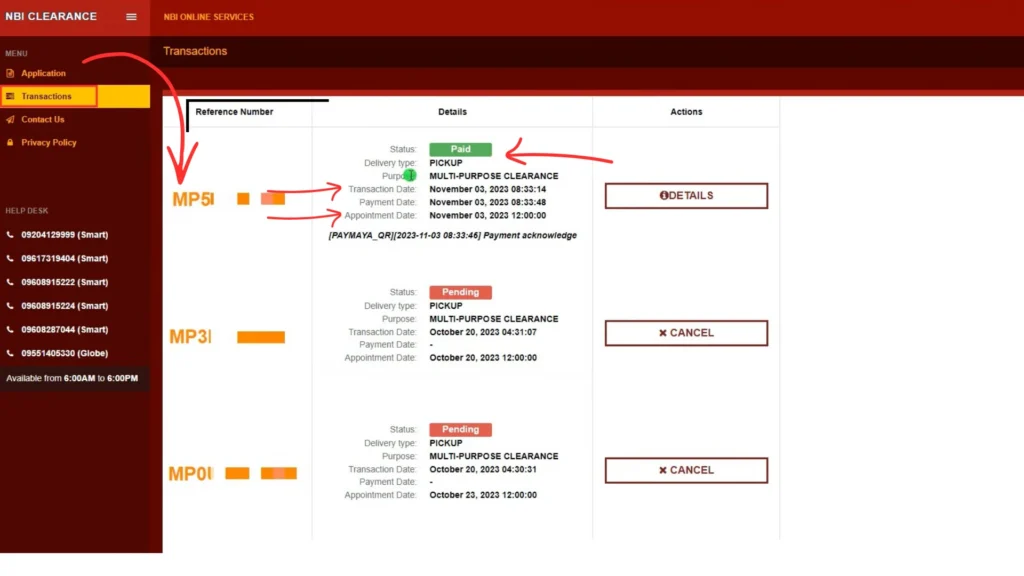
To check your NBI Clearance status, log in to the official NBI Clearance portal, open the Transactions tab, and click your reference number. You’ll see the current status — Unpaid, Paid, Scheduled, For Verification, With HIT, Printed/Ready for Pickup, or Delivered — along with your payment, appointment, and any release date. You need your account; there’s no status check without logging in.
Why Check Your NBI Clearance Status?
Checking your status lets you know if your payment posted, whether your clearance is ready for pickup, or where your delivery is — without travelling to an NBI branch to ask. It’s the fastest way to catch a problem early, like an unposted payment or a record that needs verification.
What You Need to Check Your Status
- Your NBI online account (the email and password you registered with)
- Your reference number (sent by email/SMS after applying, and shown in your account)
Note: you can’t check your status without logging in — your account holds your reference numbers and transaction history.
How to Check Your NBI Clearance Status — Step by Step
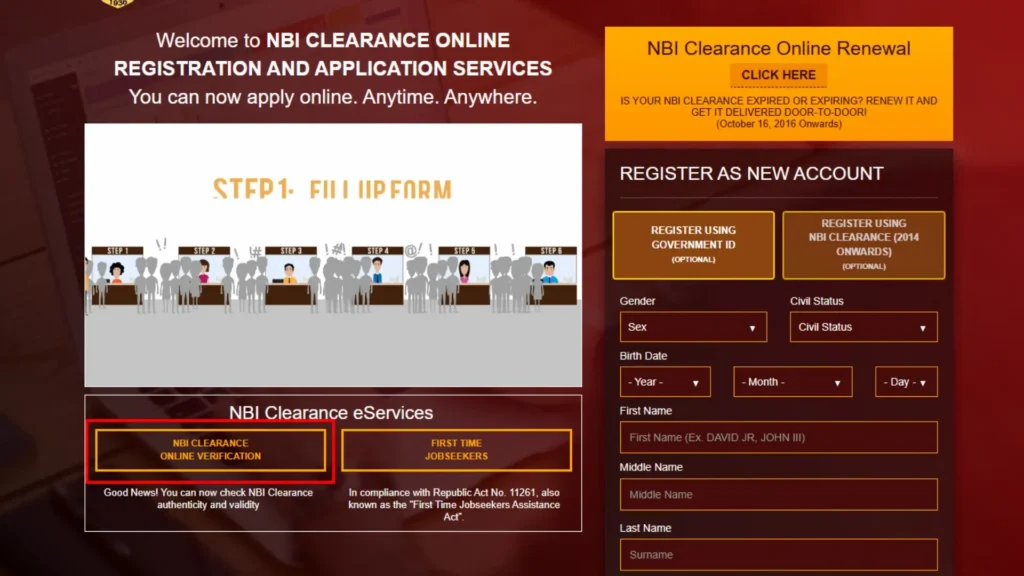
Open the official NBI portal
Use any browser and go to the official NBI Clearance website — make sure it’s the official site, not a look-alike.
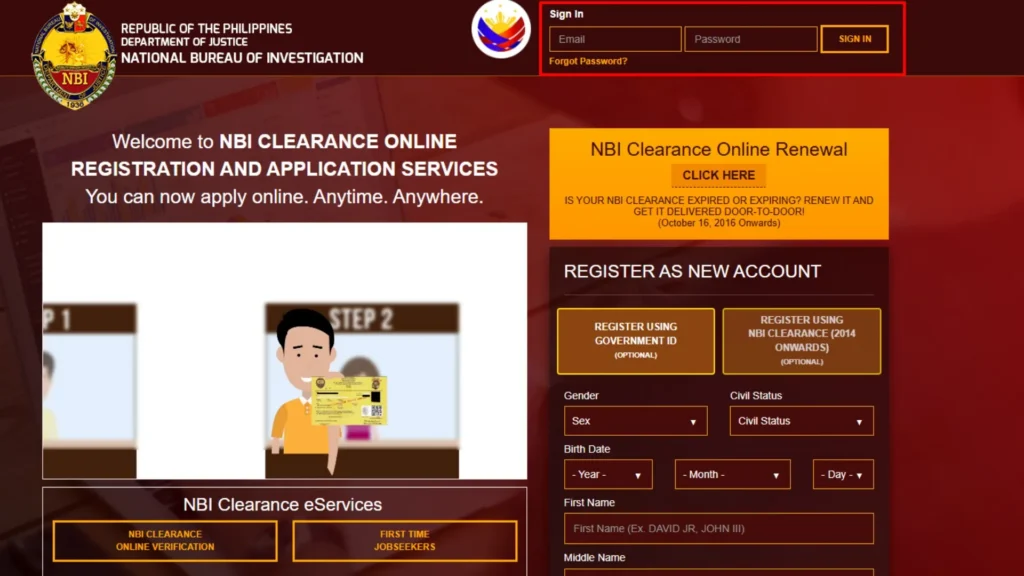
Log in
Sign in with your registered email and password. Forgot it? Use “Forgot Password” to reset.
Open the Transactions tab
On your dashboard, go to Transactions — this lists all your applications and their current status.
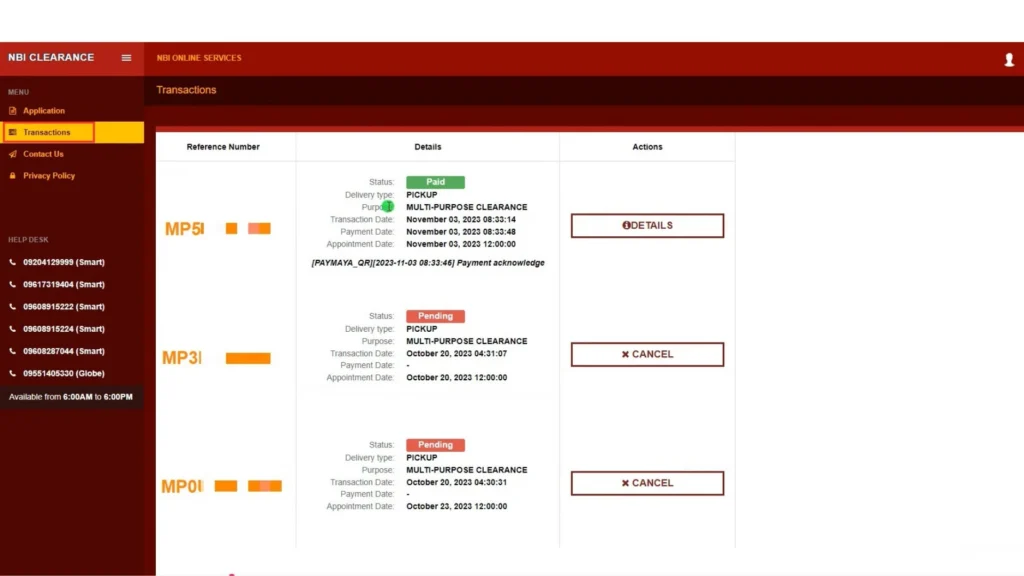
Click your reference number
Open the active application to see the full details: status, payment, appointment date, branch, and any release date or notes.
NBI Clearance Status Meanings
Here’s what each status tells you and what to do next:
| Status | What it means & what to do |
|---|---|
| Unpaid | You created the application but payment hasn’t posted. Pay to confirm your slot. |
| Paid | Payment posted. Attend your appointment with your IDs and reference number. |
| Pending / Processing | Still being processed; give it 24–48 hours and check again. |
| Scheduled / Set Appointment | You have a branch and date. Show up on time — late arrivals may be requeued. |
| Cancelled / Expired | You voided or missed the appointment. Create a new transaction and rebook. |
| For Verification / Quality Control | Your record is under manual review. Wait for the release date shown in the portal. |
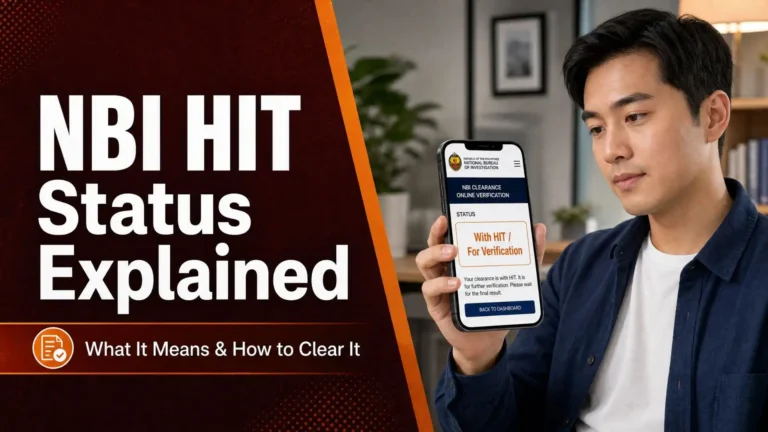
| With HIT | Your name matched a record and needs checking (see below). Follow the return date shown. |
| Printed / Ready for Pickup | Approved — claim it at your selected branch. |
| Shipped / Delivered | If you chose delivery, it’s with the courier or already delivered. |
How Long Before the Status Updates?
Payment usually posts within an hour (officially up to 24 hours). After biometrics, a clearance with no HIT is often released the same day. A HIT typically takes around 5–10 working days to verify. Try not to refresh every few minutes — check once a day and follow only the instructions shown in the portal.
What If Your Status Shows “HIT”?
Don’t panic. A “HIT” simply means your name matched (or resembles) a record in the NBI database — it’s very common, especially with common names, and usually clears after a short manual check. It does not mean you have a case. Your status will update automatically once verification finishes.
Because it worries so many applicants, we cover it fully in a separate guide: NBI HIT status explained — what it means and what to do.
Tracking a Door-to-Door Delivery
If you chose delivery, the portal shows a tracking number once your clearance is printed and dispatched. Log in, open Transactions, and click your reference number to see courier details — deliveries are handled by authorized partners (often LBC or Ninja Van) and usually arrive within a few business days. If the tracking number isn’t there yet, check your email/SMS (including spam) or wait for dispatch.
Troubleshooting
| Problem | Fix |
|---|---|
| Can’t log in | Confirm the email/password; use “Forgot Password” to reset |
| Status isn’t updating | Wait 24–48 hours — updates aren’t instant |
| Reference number not found | Check the email/SMS from your application, or your account history |
| Website errors | Try another browser, clear your cache, or use off-peak hours |
| Stuck past the release date | Contact or visit the branch that processed you, with your IDs and reference number |
Frequently Asked Questions
Conclusion
Checking your NBI Clearance status is simple: log in, open Transactions, and read the status next to your reference number. Most updates just take a little time, so check once a day and act only on what the portal tells you. Need to book or rebook first? See our NBI appointment guide.