
NBI Clearance Verification 2026 — Check if a Clearance Is Valid Online
Confirm whether an NBI Clearance is genuine and active in seconds — by scanning its QR code or entering the NBI ID number on the official portal. Useful for employers, landlords, and checking your own copy for errors.
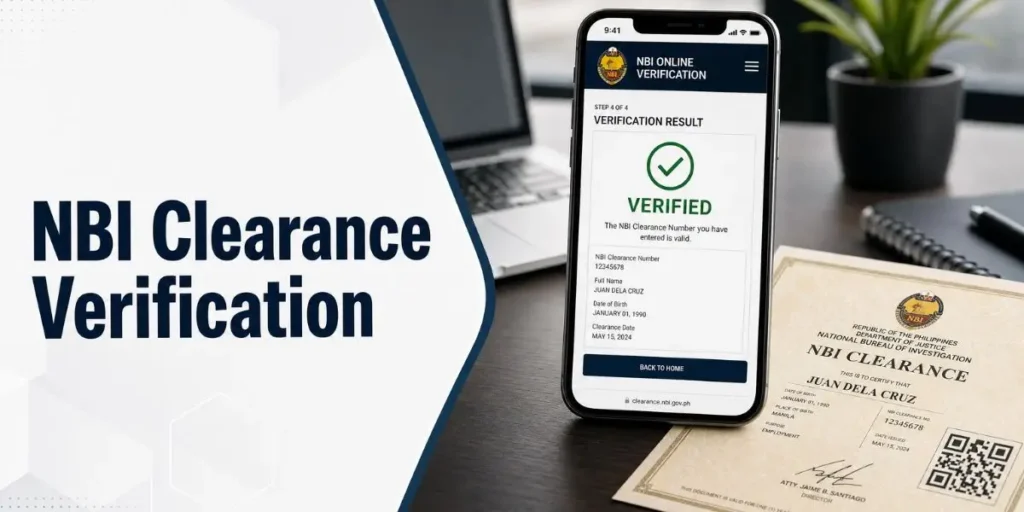
How to Verify an NBI Clearance Online
Go to the official NBI Clearance website and open the “Online NBI Clearance Verification” section. Either scan the QR code on the certificate or type the NBI ID number, tick the “I’m not a robot” box, and click Verify. In a few seconds the result shows the holder’s photo, name, and status — Valid if it is authentic and active, or Invalid if it is expired, mistyped, or fake.
Why Verify an NBI Clearance?
Verification confirms a clearance is real and current — protection against forged documents and a quick way to catch errors on your own copy.
For Employers
Confirm a job applicant’s clearance is genuine and active before hiring, especially for roles of trust.
For Landlords & Deals
Check a prospective tenant’s or partner’s clearance before signing, to screen out fake documents.
For Yourself
Verify your own copy after release to catch any typo or missing detail that could delay a job or visa.
What You Need to Verify
You only need one of the following, taken straight from the clearance certificate.
| You’ll use | Where to find it |
|---|---|
| QR code (fastest) | Printed on the NBI Clearance certificate |
| NBI ID / clearance number | A 10–12 character code near the top of the certificate, e.g. NBI-2025-XXXXXX |
| A device with a camera | Phone or laptop, to scan the QR code |
Scanning the QR code is more reliable than typing — a single wrong or missing digit in the ID number will stop the check.
How to Verify an NBI Clearance Online
The whole check takes well under a minute on the official portal.
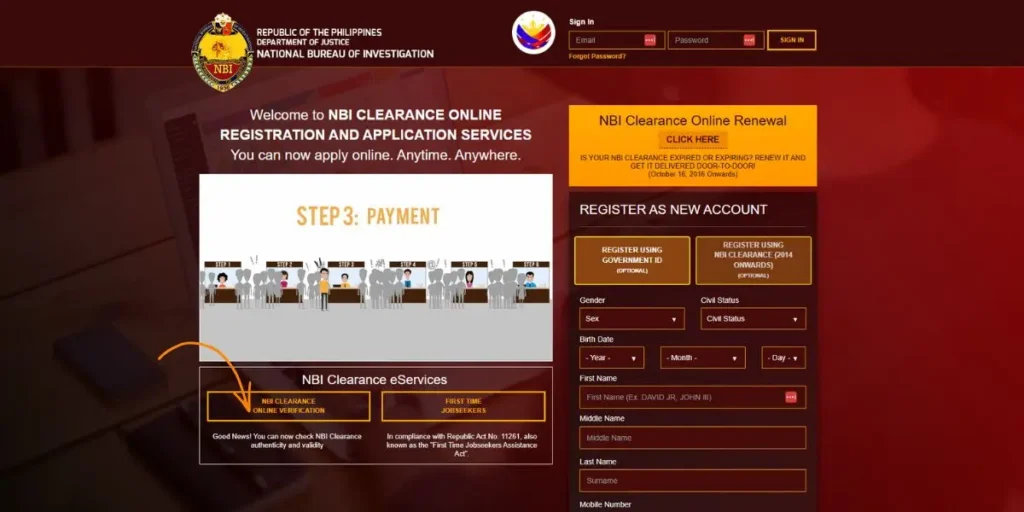
Open the official verification page
Go to the official NBI Clearance website and select “Online NBI Clearance Verification.” Use only the official portal to avoid fake look-alike sites.
Choose your method
Pick the way that suits you:
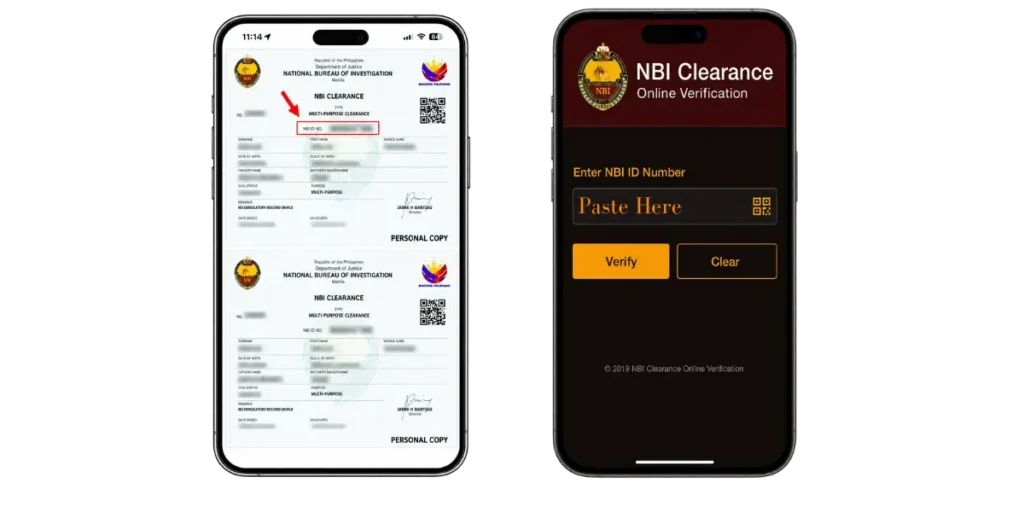
Method 1 — Scan the QR code (recommended)
Click the scan button, allow camera access, and centre the certificate’s QR code in the frame. The details load automatically — faster and error-free.
Method 2 — Enter the NBI ID number
Type the clearance / NBI ID number exactly as shown on the certificate. Double-check every character, since one wrong digit will fail the check.
Confirm and click Verify
Tick the “I’m not a robot” box, then click Verify. The system checks the record against the NBI database.

Read the result
Within a few seconds a result appears with the holder’s photo, name, and status. The check covers personal details, expiry date, and any record updates.
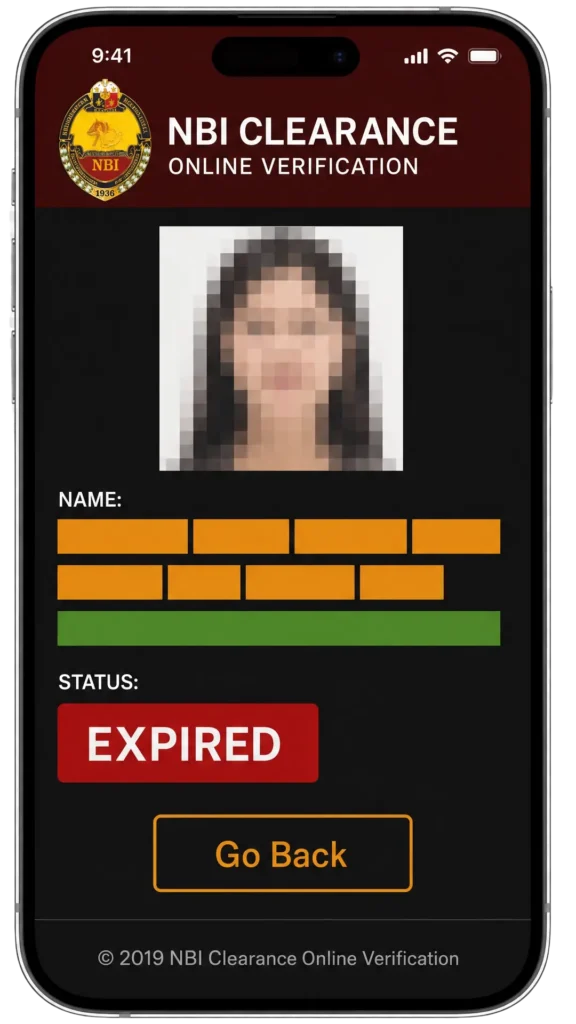
What “Valid” and “Invalid” Mean
| Result | What it means | What to do |
|---|---|---|
| Valid | The clearance is authentic and still active (not expired) | Nothing — the document checks out |
| Invalid | The details are wrong, the clearance has expired, or the document is fake | Re-check the number for typos; if it still fails, treat it with caution |
Don’t panic — it is often just a typo or a missing character in the number. Re-enter the details carefully, or scan the QR code instead. If a genuine certificate still shows invalid, see the in-person option below.
Verifying In Person at an NBI Branch
If a clearance you believe is genuine still shows as invalid online — or you have no way to use the portal — you can verify it the traditional way. Bring the original clearance to any NBI branch and ask the staff to verify it for you. This is also the route to take if you suspect a document has been tampered with and want an official confirmation.
Common Verification Problems & Solutions
| Problem | Solution |
|---|---|
| Shows invalid (typo) | Re-check the number character by character, or scan the QR code instead |
| Clearance expired | It is no longer active — renew it through the renewal guide |
| Pending legal case | A record may invalidate the clearance; the legal matter must be resolved first |
| Portal is down or slow | Try off-peak hours, refresh, or switch browsers; verify in person if urgent |
| No QR or number available | Without the QR code or NBI ID number, online verification is not possible — verify at a branch |
NBI Clearance Verification — FAQs
Conclusion
Verifying an NBI Clearance online is fast and free: open the official verification page, scan the QR code or enter the NBI ID number, confirm you are not a robot, and read the Valid or Invalid result. Scanning the QR code is the most reliable method. Whether you are an employer screening an applicant, a landlord checking a tenant, or confirming your own copy, a quick verification protects you from fake documents and costly errors.