
NBI Clearance Online Appointment 2026 — Book, Reschedule & What to Bring
Every NBI Clearance starts with an online appointment. Here’s how to book a slot, reschedule or cancel it, what to bring on the day, and what happens at the branch.
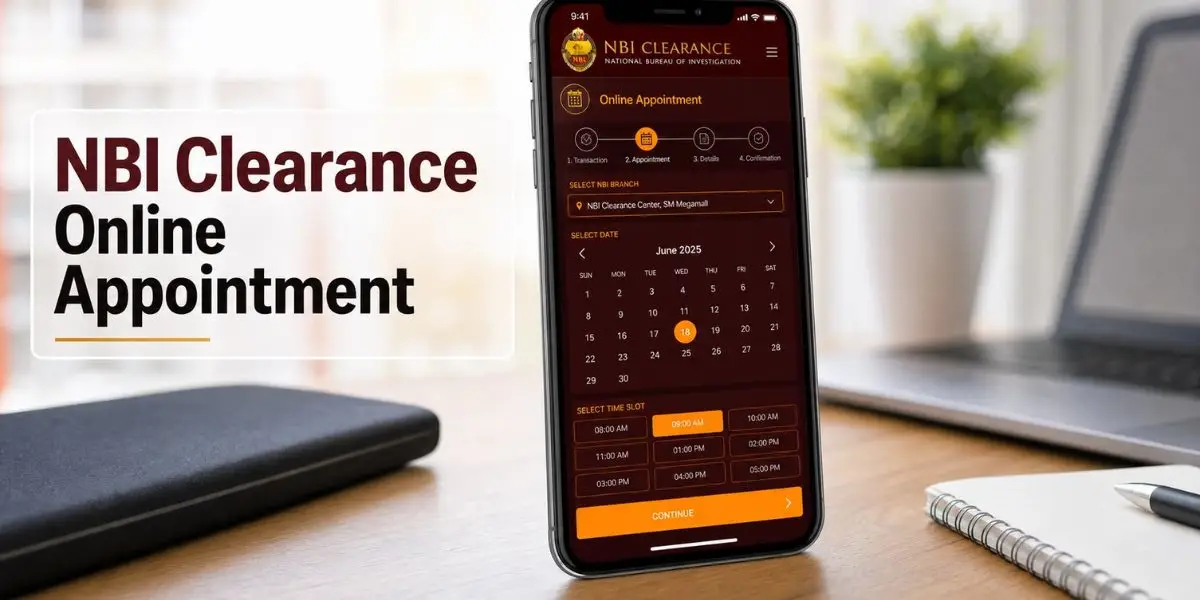
How to Book an NBI Clearance Appointment Online
Log in to the official NBI Clearance website, complete your applicant details, then select your preferred branch, date, and time slot. Pay the ₱155 fee to confirm the booking, save your reference number, and visit the branch on your scheduled date for biometrics. You cannot be served at a branch without a confirmed online appointment.
What Is an NBI Clearance Appointment?
An NBI appointment is a booked slot for your in-person biometrics — fingerprints and photo. The system is appointment-based to cut queues and let each branch manage daily capacity, so a confirmed slot is required before you can be served.
Who Needs to Book One
- First-time NBI Clearance applicants
- Anyone renewing in person (Standard Renewal)
- Applicants correcting details on their record
- OFWs and travelers needing a fresh copy
Booking is one part of the wider process. For the complete walkthrough from registration to release, see our full NBI Clearance application guide. Renewing instead? Use the NBI Clearance Renewal guide.
What to Prepare Before Booking
Have these ready so the booking goes through in one sitting. You can access NBI Clearance through the official website or the eGov PH app — both lead to the same booking system.
| You’ll need | Why |
|---|---|
| Active email address | Receives your confirmation code and booking details |
| Two valid government IDs | Passport, UMID, Driver’s License, PhilHealth ID, etc. |
| Mobile number | For SMS notifications and account verification |
| Payment method | GCash, Maya, bank, or store payment for the fee |
| Stable internet + device | To avoid timeouts during booking and payment |
How to Book an NBI Appointment Online
The booking itself is quick. Here is the short version — the full step-by-step application is on our main guide.
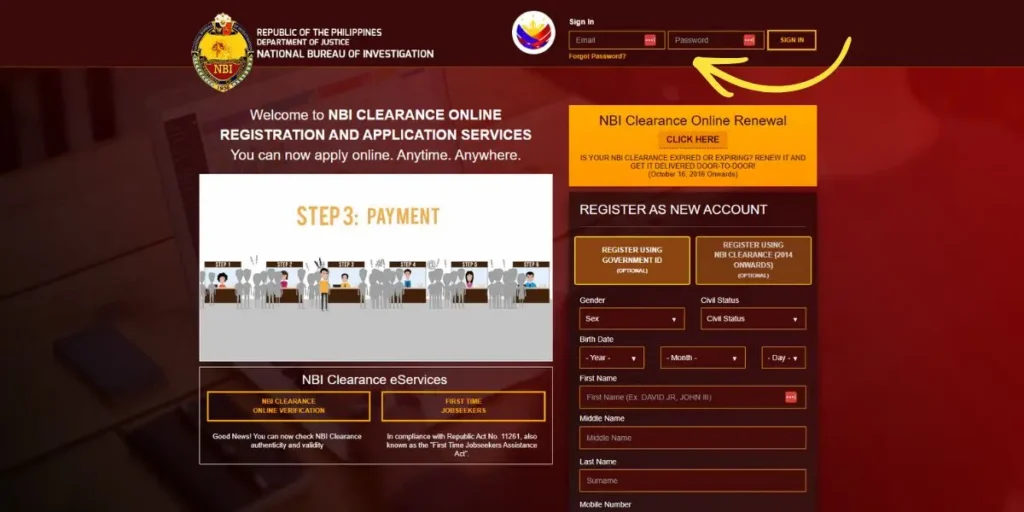
Log in or register
Sign in to the official NBI Clearance portal (or the eGov PH app), or create an account if you are new. During registration you’ll be asked if you have an old clearance issued from 2014 — new applicants simply choose “No.”
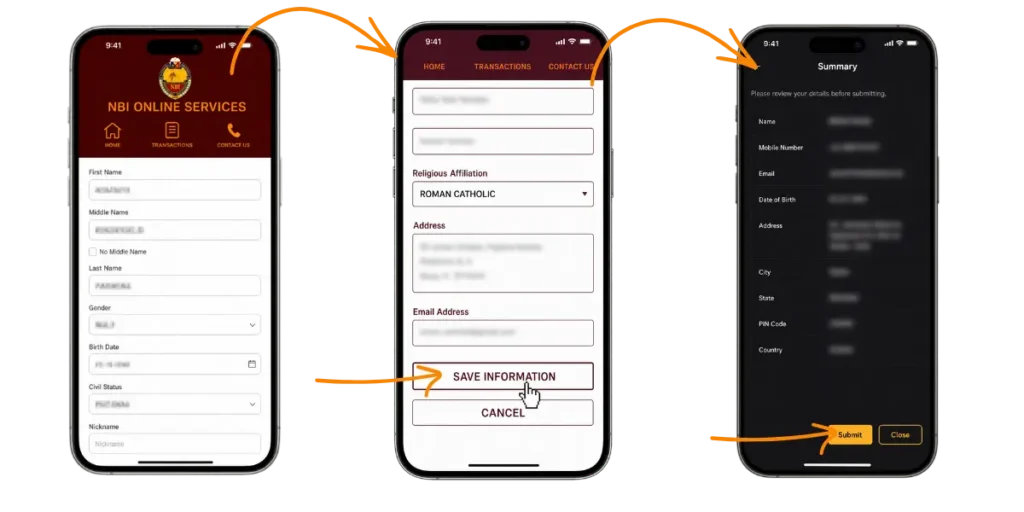
Complete your details
Fill in your personal information — fields marked with a red asterisk are required — and select the two IDs you will present.
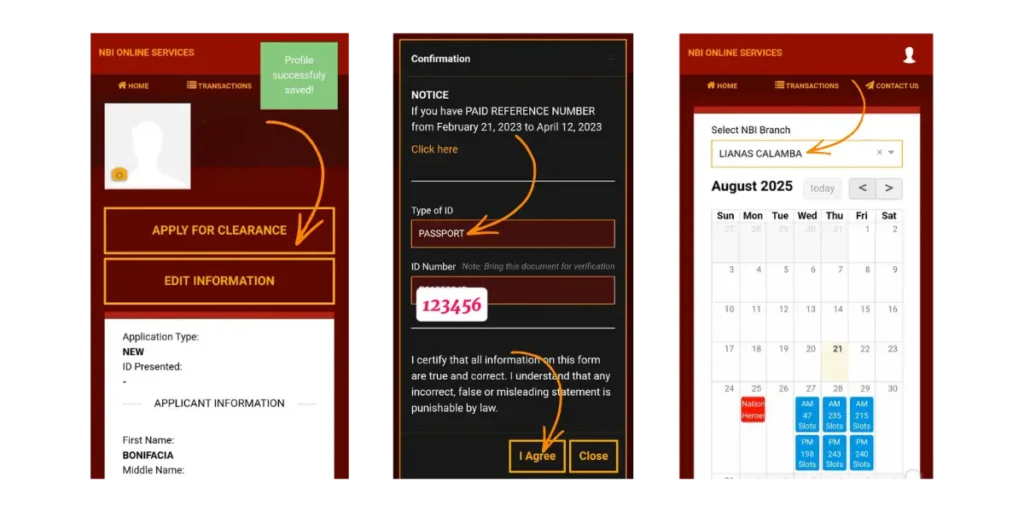
Pick branch, date & time
Choose your preferred NBI branch and an available slot for your biometrics.
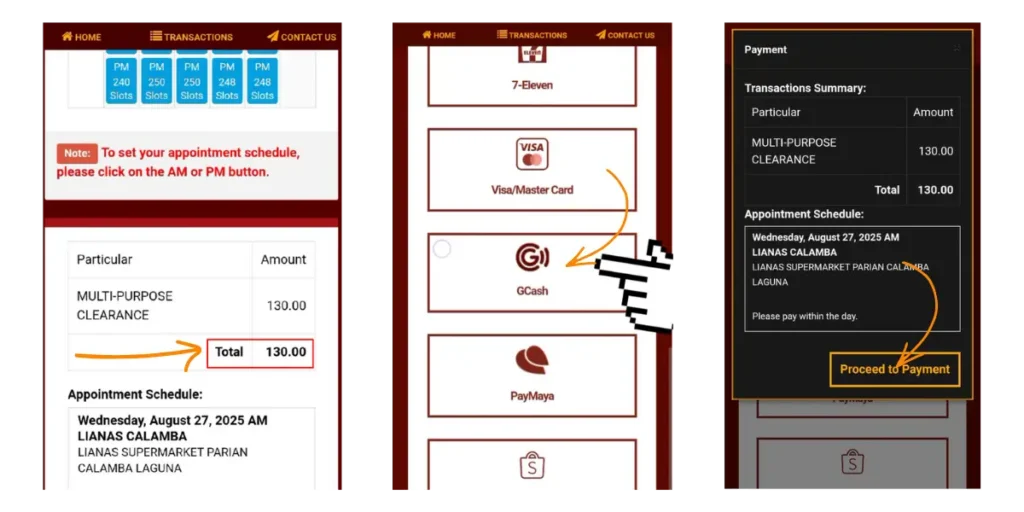
Pay to confirm
Pay the ₱155 fee and save your reference number. Your slot is locked in only after payment.
New applicant? Follow the complete process — registration, ID selection, payment, and release — in our full NBI Clearance application guide.
How to Reschedule Your NBI Appointment
Can’t make your slot? You can move it without losing your payment.
Log in to your account
Sign in to the NBI Clearance online portal.
Open “Transactions”
Go to the Transactions section and find your active appointment.
Choose a new slot
Select Reschedule, pick a new date and time, then save and print the updated schedule.
Your paid fee carries over — rescheduling does not cost extra, and you can reuse the same reference number. Reschedule as soon as you know you can’t attend, since popular branches fill quickly.
How to Cancel Your NBI Appointment
To cancel entirely: log in, open your appointment details, and select Cancel Appointment.
After cancelling you must start the booking process over from the beginning. If you simply need a different date, rescheduling is faster and keeps your payment.
Finding & Securing an Appointment Slot
Slots in busy branches go fast. These habits get you a date that works.
Book Early-Morning Slots
8:00–10:00 AM slots tend to move faster and finish quicker than afternoons.
Check Back for Releases
New slots open in batches, so revisit if your preferred date is full.
Consider a Nearby Branch
A less-crowded branch close to you often has earlier openings.
Avoid Peak Months
Hiring and enrollment seasons are busiest; off-peak months have more slots.
NBI Appointment Fee & Payment Methods
The appointment fee is the standard clearance fee — paid online to confirm your slot.
| Item | Amount |
|---|---|
| NBI Clearance fee | ₱130 |
| Service fee (varies by channel) | ₱25 |
| Typical total | ₱155 |
The service fee depends on your payment method — for example, GCash adds about ₱30. Door-to-door delivery, if chosen, adds a separate courier fee. Confirm the total at checkout.
Accepted payment methods
If you qualify as a first-time job seeker, the NBI Clearance fee shows as ₱0 at checkout. Present a barangay certificate proving your first-time job-seeker status.
What to Bring on Your Appointment Day
Arriving with the right items keeps your visit short and avoids being turned away.
- The two valid IDs you selected when booking (originals)
- Your appointment slip or reference number
- Proof of payment / official receipt
- Old NBI Clearance or reference number (if renewing)
What Happens at Your Appointment
The visit is usually quick and organized when you arrive prepared.
Arrive on time
Reach the branch ahead of your slot with your reference number and IDs ready.
Present your details
Show your appointment confirmation and IDs at the counter for verification.
Biometrics & photo
Your fingerprints are scanned and your photo is taken — this takes only a few minutes.
Verification & release
NBI checks for matching records. With no “HIT,” your clearance may be released the same day.
Biometrics & Photo Capture
Keep your fingers clean for scanning and look directly at the camera. The data confirms your identity matches your application.
No Hit vs With Hit
No Hit: records are clear and release is often same-day. With Hit: a name match needs extra verification, and you’ll be told when to return.
Door-to-Door Delivery Option
If you’d rather not return to collect your clearance, choose delivery during booking.
- Select the delivery option at the scheduling step and enter your complete address.
- A small additional courier fee applies; remote areas may cost more.
- Most deliveries arrive within about 1–2 weeks after your appointment.
Reminders & Dress Code
Arrive Early
Be at the branch 15–20 minutes before your scheduled time.
Dress Properly
Avoid sleeveless tops, shorts, and slippers; dress as for a government office.
Bring Documents
Carry your IDs, reference number, and proof of payment.
Confirmed Slots Only
Branches serve only applicants with a confirmed online appointment.
Common Appointment Problems & Solutions
| Problem | Solution |
|---|---|
| Wrong personal info entered | Have it corrected at the branch using your government IDs |
| Missed appointment | Log in and reschedule; reuse your payment reference to avoid a double fee |
| Payment not reflecting | Wait up to 24 hours; if still unpaid, contact your payment provider |
| Website technical errors | Use off-peak hours, clear your cache, or switch browsers |
| “HIT” on your name | Wait for verification or visit a branch with supporting IDs |
| Delayed delivery | Track via courier; contact NBI support with your reference if overdue |
Frequently Asked Questions
Conclusion
Booking an NBI Clearance appointment is simple: log in, complete your details, pick a branch and slot, and pay the ₱155 fee to confirm. If your plans change, reschedule from the Transactions page rather than cancelling, and keep your reference number. Arrive 15–20 minutes early with your IDs and proof of payment, and your biometrics visit should take only minutes.